
Teams shows you as away while you’re working, gets stuck on Out of office, or coworkers see Status unknown in Outlook? Teams status is mostly automatic — understanding where it comes from solves most cases.
In this article
How automatic status works
- Available / Away: depends on activity on the computer. After a few minutes without mouse or keyboard input, or with the screen locked, Teams switches to Away.
- Busy / In a meeting: comes from your Outlook calendar — scheduled meetings make you busy.
- In a call / Presenting: changes by itself during calls and screen sharing.
- Out of office: appears when Outlook automatic replies are on.
Status stuck on something you chose
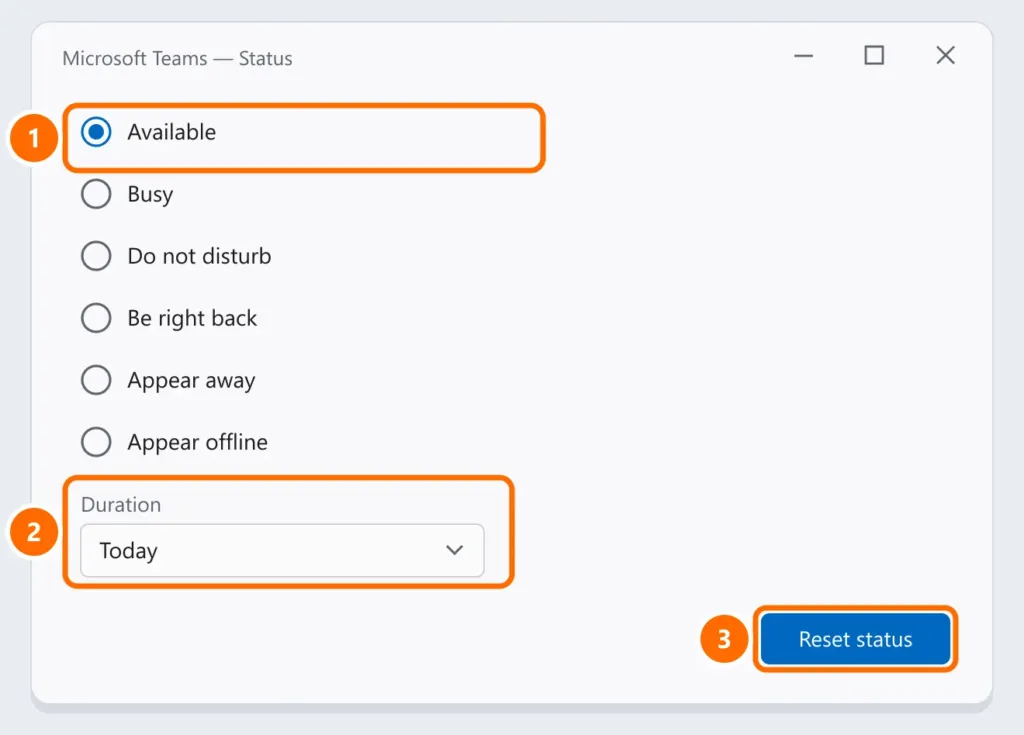
If you picked a status by hand (for example, Busy or Appear offline), it lasts until the duration you chose ends. Click your picture › current status › Reset status to go back to automatic.
Stuck on “Out of office”
- In Outlook, open File › Automatic Replies (or, in new Outlook, Settings › Accounts › Automatic replies) and turn them off.
- In Teams, click your picture › Set status message and clear any message.
- Wait a few minutes: the update isn’t instant.
Shows away while you work
- Are you using another app in full screen or working on another computer? Teams only sees activity on the computer where it’s running.
- Keep Teams open (not just in the tray of another device) and keep the computer from locking the screen while you work.
“Status unknown” in Outlook
Outlook shows Teams status when Teams is registered as the Office chat app:
- In Teams, open Settings › General.
- Check Register Teams as the chat app for Office and restart Outlook.
- Make sure Teams and Outlook use the same account and are up to date.
FAQ
My status switched to Away in the middle of a meeting.
If you were just watching without touching the computer for a long time, that can happen. During active Teams calls, status normally stays In a call.
Can I always show as Available?
You can choose Available with a duration, but Teams is designed to reflect real activity — many companies’ policy is to keep status automatic.