
When Excel “blocks” an action, there’s almost always a setting behind it. Find your symptom below.
In this article
Won’t let you type in cells
1. Protected View: files downloaded from the internet or received by email open as read-only. A yellow bar appears at the top: click Enable Editing (if you trust the file).
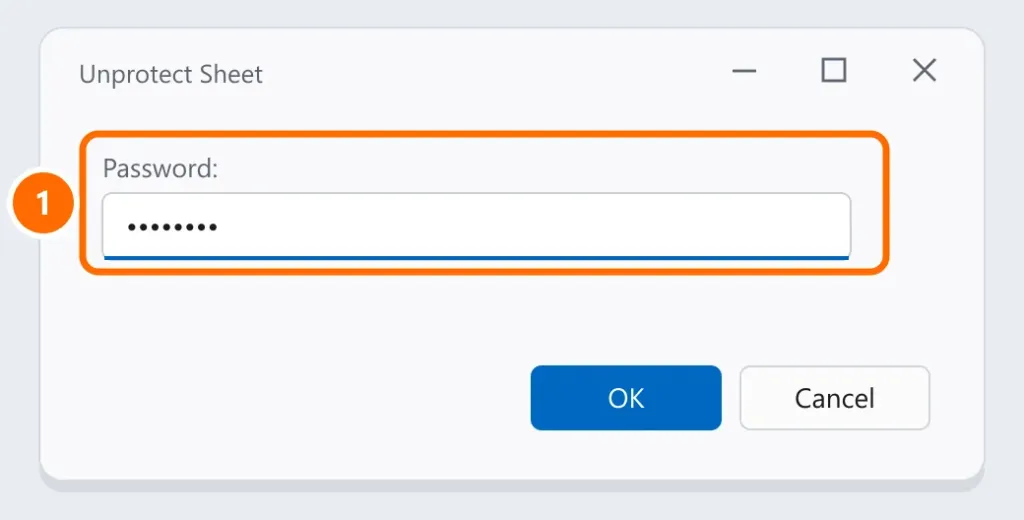
2. Protected sheet: whoever created the spreadsheet locked editing. Go to Review › Unprotect Sheet and enter the password, if there is one.
3. Read-only file or file opened by someone else: files in a network folder or on OneDrive may be open by another person. Save a copy or ask that person to close it.
4. Cell in edit mode: if you’re typing inside a cell, the menus are grayed out. Press Enter or Esc.
Won’t let you insert rows or columns
The most common cause: there’s some data or formatting way at the end of the sheet (in the last row or the last column), and inserting a row would push that content past the limit.
- Press Ctrl + End to see where Excel thinks the sheet ends.
- If it’s far beyond your data, select the empty rows from the end of your data to the end of the sheet (Ctrl + Shift + Down Arrow), right-click › Delete. Do the same with the columns.
- Save, close and reopen the file.
Also preventing insertion: a protected sheet (see above) and, in some cases, frozen panes (View › Freeze Panes › Unfreeze Panes).
Won’t let you merge cells
- The data is in a Table (formatted as a table): tables don’t allow merging. Click the table › Table Design › Convert to Range.
- Protected sheet or shared workbook (older versions): unprotect it or turn off sharing.
- Tip: to center a title without merging, use Format Cells › Alignment › Center Across Selection, which doesn’t interfere with filters and sorting.
Won’t let you copy and paste
- “This action won’t work on multiple selections”: you selected separate areas (with Ctrl). Copy one area at a time.
- Paste area of a different size: select only the first cell of the destination before pasting.
- Pasting into merged cells: unmerge the destination area.
Excel slow or frozen
If the problem is Excel freezing, see Excel not responding. File won’t open? See corrupted Excel file.
FAQ
I forgot the password to the protected sheet.
Excel has no option to recover the password. Ask the spreadsheet’s author. Avoid websites that promise to “crack” passwords: you’d be handing your file to strangers.
Does Excel online have the same restrictions?
Yes, and some actions (like editing password-protected sheets) only work in the desktop version of Excel.