0x80004005 is Windows’ “unspecified error” code: the system knows something failed but doesn’t say exactly what. So the fix depends on where it appears. These are the three most common cases.
In this article
Case 1: opening a shared network folder
This is the most common case in offices: when opening \\SERVER\Folder or a NAS share, you get “Windows cannot access…” with code 0x80004005.
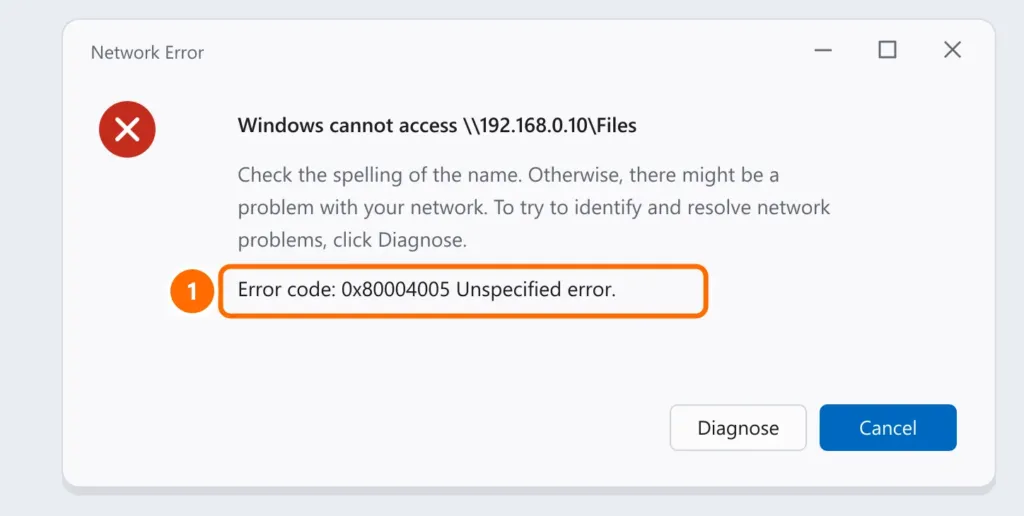
- Try the IP address instead of the name, for example
\\192.168.0.10\Folder. - Check the username and password saved in Credential Manager: press Windows + R, run the command below, open Windows Credentials and remove or fix the entries for that server.
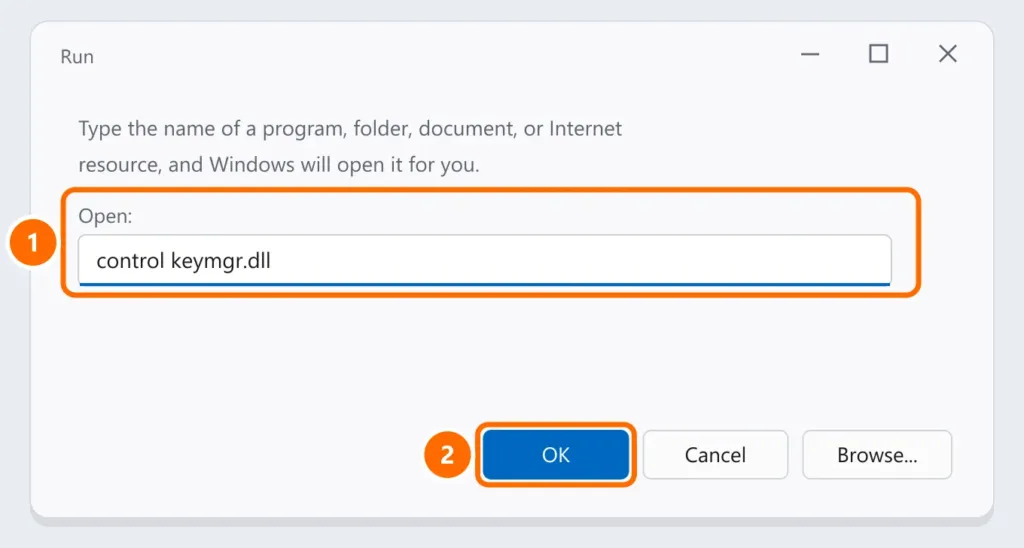
- If the share uses guest access (no password), Windows 11 blocks it for security: create a user with a password on the server or NAS.
Case 2: extracting a compressed (ZIP) file
The built-in Windows extractor can’t open some password-protected ZIP files that use AES encryption, or incomplete or corrupted files.
- Download the file again, ideally from the original site.
- Use a compatible extractor such as 7-Zip (free and open source) and enter the password when asked.
- Move the file to a short local folder such as
C:\Tempbefore extracting — long paths cause errors too.
Case 3: Windows Update
When 0x80004005 appears during updates, it’s usually a corrupted update file. Follow the DISM and SFC repair and the component reset in Windows Update error: how to fix it.
Other cases
- Virtual machines (VirtualBox): discard the VM’s saved state and make sure virtualization is enabled in the BIOS.
- Specific programs: run as administrator, reinstall, and temporarily turn off your antivirus to test.
FAQ
What does “unspecified error” mean?
Windows received a failure without a more specific code. The context (network, file, update) is what points to the cause.
The error only happens on one computer on the network.
Compare saved credentials and the Windows version with a computer that works. Recent Windows 11 versions have stricter network security rules.
Is it a virus?
Rarely. But if it appears across many different programs, run a full scan in Windows Security.