A ZIP file bundles several files into one and usually makes the whole set smaller. It’s the easiest way to email lots of documents or store an entire folder.
In this article
How to zip files in Windows 11
- Select the files or the folder.
- Right-click › Compress to › ZIP File. In earlier versions of Windows 11, the option appears as Compress to ZIP file.
- Give the new
.zipfile a name.
How to unzip (extract)
- Right-click the
.zip› Extract All. - Choose the destination folder and click Extract.
RAR, 7z and other formats
Current versions of Windows 11 open RAR, 7z and TAR directly in File Explorer. On PCs without these updates, use 7-Zip, which is free and open source (download it only from the official website, 7-zip.org).
The ZIP won’t open: “the Compressed (zipped) Folder is invalid”
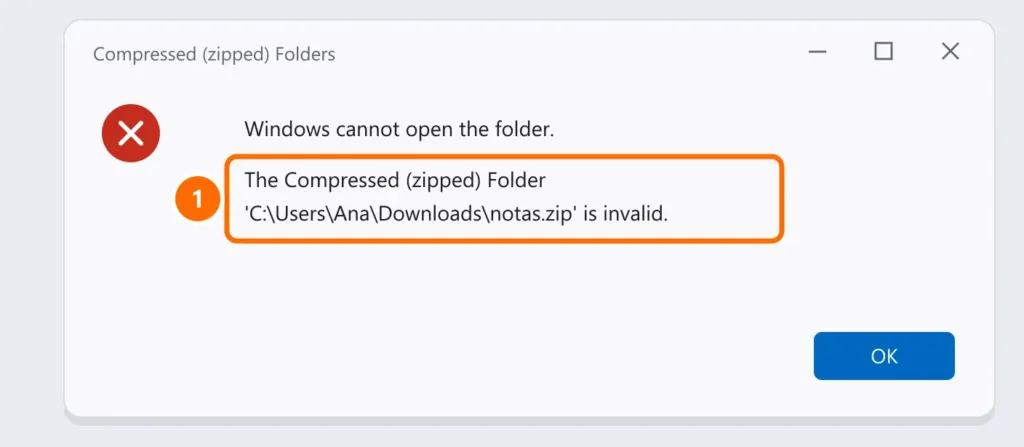
Most common causes:
- Incomplete download: download it again. Large attachments and downloads on a phone often fail.
- It’s not really a ZIP: the file is a RAR or 7z with a name ending in
.zip. Try opening it with 7-Zip. - ZIP with strong (AES) encryption: Windows can’t open this type of encryption. Use 7-Zip and the password given by the sender.
- Path too long: extract to a short folder, such as
C:\Temp. - Blocked file: right-click › Properties › check Unblock (if the source is trusted).
Be careful with ZIPs received by email
ZIP is one of scammers’ favorite formats for hiding malware, especially when it comes with a password in the body of the email (to get past the antivirus). If you weren’t expecting the file, confirm with the sender through another channel. See how to spot phishing and how to show file extensions.
FAQ
How do I password-protect a ZIP?
Windows can’t create password-protected ZIPs. Use 7-Zip: right-click › 7-Zip › Add to archive, choose AES-256 encryption and set the password. Send the password through another channel, never in the same email.
How do I open a ZIP on my phone?
On Android, the Files by Google app extracts ZIPs. On iPhone, just tap the ZIP in the Files app.