The check app says your computer doesn’t meet the Windows 11 requirements? Often the hardware is compatible, but TPM 2.0 or Secure Boot is turned off in the BIOS. Here’s how to check and turn them on.
In this article
The official requirements
| Item | Minimum |
|---|---|
| Processor | 1 GHz, 2 or more cores, 64-bit and on the compatible list (generally Intel 8th gen or newer and AMD Ryzen 2000 or newer) |
| Memory | 4 GB |
| Storage | 64 GB |
| Firmware | UEFI, Secure Boot capable |
| TPM | Version 2.0 |
| Graphics | DirectX 12 compatible (WDDM 2.0 driver) |
The easiest way to check everything is Microsoft’s PC Health Check app: it tells you exactly which item failed.
Step 1: check the TPM
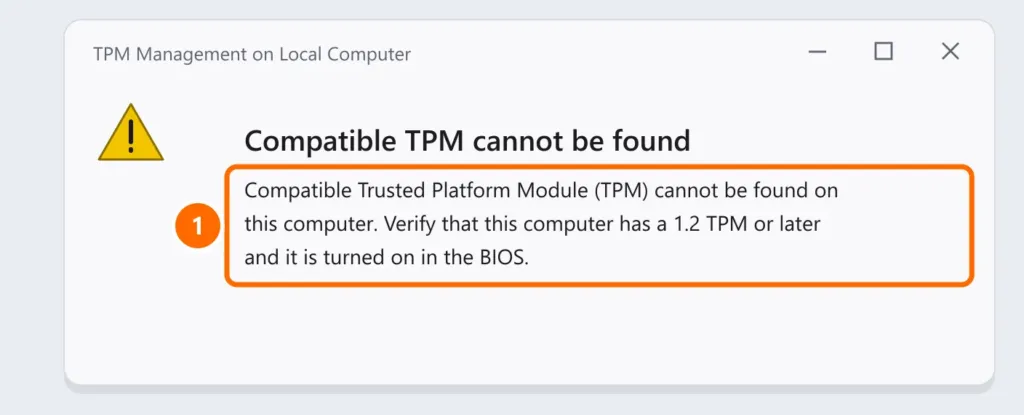
Press Windows + R, type tpm.msc and press Enter.
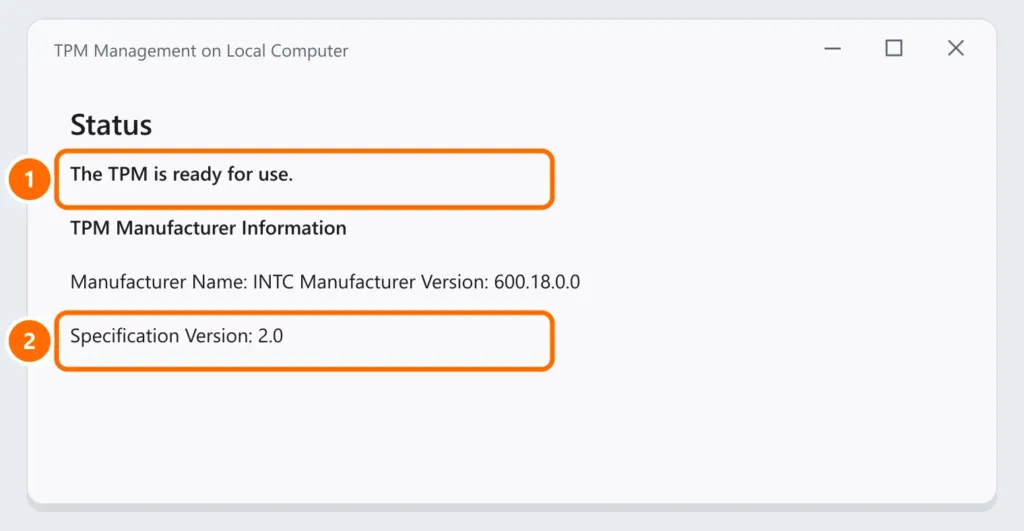
If you see “Compatible TPM cannot be found”, the TPM almost always exists but is turned off in the BIOS:
Step 2: turn on the TPM in the BIOS
- Restart and enter the BIOS/UEFI (usually Del, F2 or F10 at startup). From Windows, you can also go to Settings › System › Recovery › Advanced startup › Troubleshoot › Advanced options › UEFI Firmware Settings.
- Look for the option for your processor: Intel: Intel PTT (Platform Trust Technology) or Security Device Support; AMD: AMD fTPM or AMD CPU fTPM.
- Turn it on, save (usually F10) and restart. Run
tpm.mscagain.
Step 3: check Secure Boot
Press Windows + R and run msinfo32. Under System Summary, look at:
- BIOS Mode: should be UEFI. If it says Legacy, the drive is probably MBR.
- Secure Boot State: should be On. If it’s off, enable Secure Boot in the BIOS (Boot or Security tab).
FAQ
My processor isn’t on the list. Can I install it anyway?
There are ways around the check, but Microsoft doesn’t guarantee updates or support in those cases. For business use, compatible hardware is the recommendation.
Does turning on the TPM erase my files?
No. Turning on the TPM or Secure Boot doesn’t touch your files. Only clearing the TPM (the “Clear TPM” option) can affect BitLocker — see BitLocker recovery key.
How long can I keep using Windows 10?
Free Windows 10 support ended on October 14, 2025. Without security updates, the best path is moving to Windows 11 or joining the Extended Security Updates (ESU) program.