You plug in your headphones and sound still comes from the speakers, nothing plays, or your Bluetooth headphones sound like a phone call? Almost always Windows is using the wrong output device. Follow the steps in order.
In this article
Step 1: pick the headphones as output
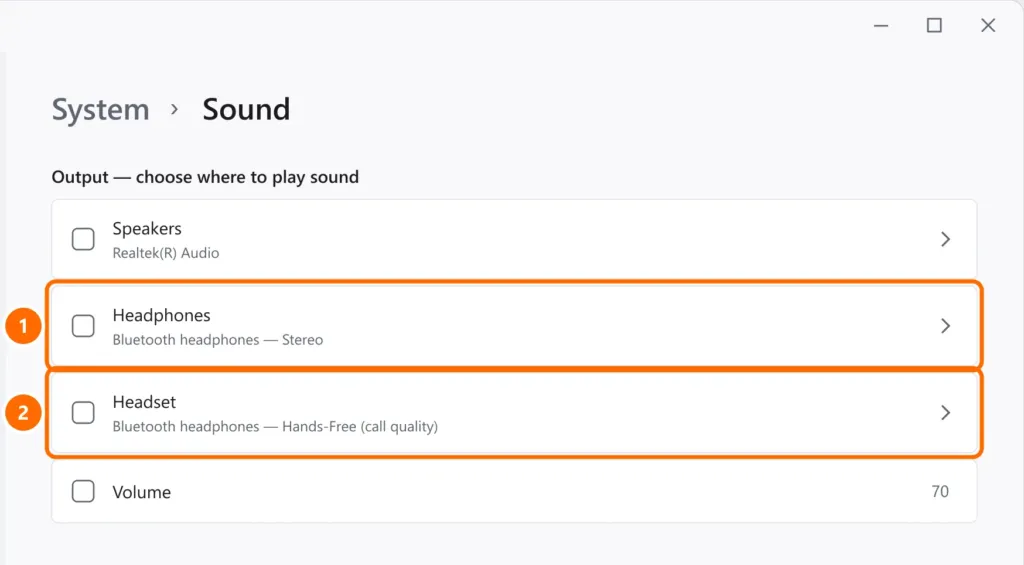
- Click the sound icon on the taskbar and the › arrow next to the volume.
- Choose your headphones from the list. Or open Settings › System › Sound and, under Output, select them.
Step 2: wired headphones (3.5 mm)
- Laptops usually have a single combined 4-pole jack (headphones + mic). Headsets with two plugs (green and pink) need an adapter.
- Desktops: if the case’s front jack doesn’t work, try the rear one (green). The front jack depends on an internal cable to the motherboard.
- Some computers with Realtek audio have an app (Realtek Audio Console) that asks what you plugged in. Choose Headphones.
Step 3: USB headphones and office headsets
- Plug them into another USB port, directly on the computer.
- Check that they appear under Output and Input in step 1.
- Install the manufacturer’s software, if any (call center and gaming headsets often have it).
Step 4: Bluetooth headphones connected, but no sound
- Under Settings › Bluetooth & devices, remove the headphones and pair them again.
- Disconnect them from your phone — many headphones only send audio to one device at a time.
- If Bluetooth doesn’t even show up, see Bluetooth not showing up.
Still no sound?
The general audio steps (audio service, driver and audio enhancements) are in no sound on Windows 11. If the problem is the headset microphone, see microphone not working.
FAQ
The headphones work on my phone but not on my PC.
It’s usually the wrong output (step 1) or the connector type (step 2). Also try other headphones on the PC to find out whether the jack is the problem.
Sound comes from only one side.
Make sure the plug is fully inserted, try other headphones and check under Sound › headphone properties that the left/right balance is even.
Bluetooth audio lags behind video.
That’s Bluetooth latency. Update the Bluetooth driver and avoid Hands-Free mode; some headphones have a low-latency “game mode”.