External hard drive or SSD not showing up in Windows: fix it
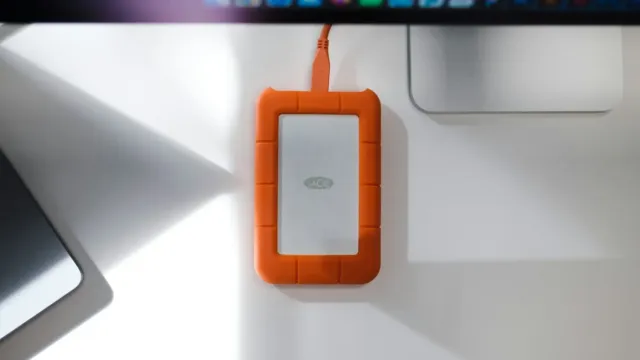
The office backup drive or a new SSD isn't showing up in File Explorer? Check the drive's state in Disk Management and apply the right fix without erasing files.
Search box won't open, or it can't find files you know are there? Work out which case you have and fix it without reinstalling Windows.
The network is connected, but no website opens and Windows diagnostics says the DNS server is not responding. Find out whether it's one PC or the whole network and fix it without breaking folders, printers or the domain.
Does the connection drop and come back by itself on one or several office PCs? By comparing the computers and running two ping tests, you can tell whether the fault is in the PC, the Wi-Fi, the router or the provider, and the steps show what to change in each case.
The printer is on, but Windows shows "Offline" on one PC or on every PC in the office? Find the cause and get the printer back online.
Create a Windows 11 bootable USB with Microsoft's Media Creation Tool, boot the PC from it and do a clean install, with a checklist so you keep files and activation.
Step-by-step guide to installing the office network printer by IP address in Windows 11, testing the port first and repeating the setup on several PCs with PowerShell.
Compare Google Workspace and Microsoft 365 on what matters in a small office: Excel and Outlook, storage per person, control of Windows PCs and plan limits. At the end, the precautions for migrating without losing email.
Business Basic, Standard, Premium or Apps for business? See what each plan includes and how to mix licenses in your office without overpaying.
Where to turn on two-step verification in each service, which method to choose and how to avoid locking yourself out of your own account.
“The network path was not found” when you open the office shared folder or the NAS? Follow 5 steps to find where the connection breaks and fix only what is needed.
The three DNS records that keep your company's email out of spam and make it harder for scammers to send fake invoices from your domain. Setup by provider and how to check it worked.