Password-protecting files matters for contracts, financial spreadsheets and personal documents sent by email or stored on a USB drive.
In this article
Word and Excel
- With the file open, go to File › Info.
- Click Protect Document (in Excel, Protect Workbook) › Encrypt with Password.
- Enter the password, confirm it and save the file.
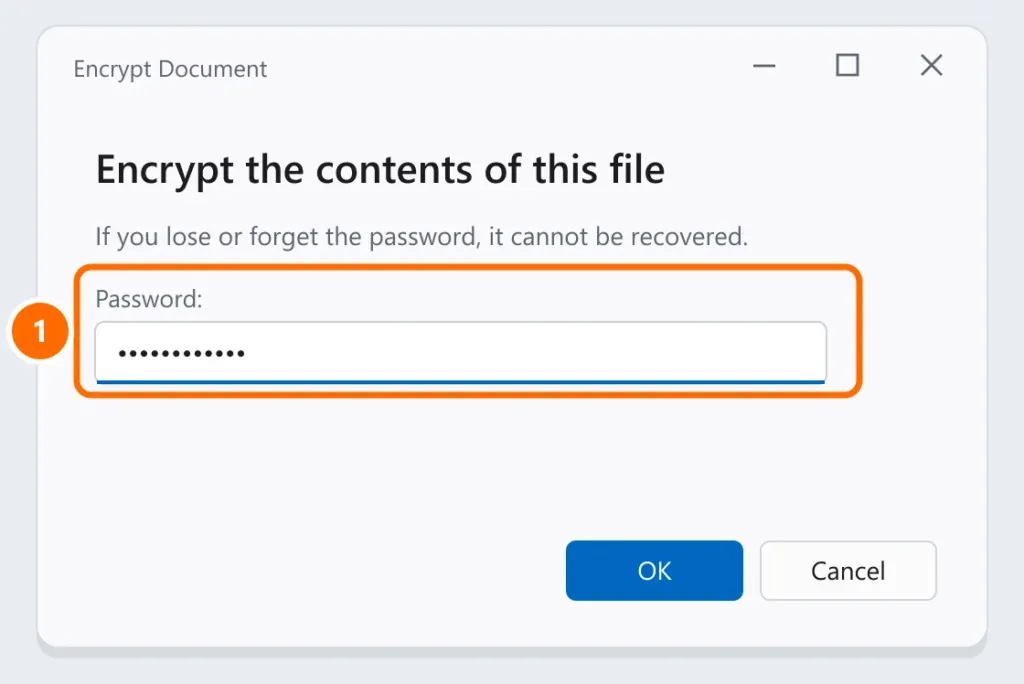
From then on, the file only opens with the password. To remove the password, follow the same path and clear the field.
Password-protected PDF, without paid software
If the document was created in Word:
- File › Save As and choose PDF as the file type.
- Click Options and check Encrypt the document with a password.
- Enter the password and save.
For existing PDFs, Adobe Acrobat (paid) can do this. Avoid free “password-protect your PDF” websites for confidential documents: you’d be handing the file to an unknown service. If the PDF won’t open, see PDF won’t open.
Password-protected folder in Windows
Windows doesn’t have a simple “password on a folder” option. The safe alternatives:
- Encrypted ZIP with 7-Zip (free): right-click the folder › 7-Zip › Add to archive › under Encryption, choose AES-256, enter the password and confirm. Then delete the original folder (and empty the Recycle Bin). See how to zip files.
- USB drive or external hard drive with BitLocker To Go (Windows Pro): right-click the drive › Turn on BitLocker. See BitLocker recovery key.
- Windows account with a password: each person using their own account already keeps others from seeing your user folder.
Be wary of unknown “folder lock” programs: many just hide the folder, and some come bundled with unwanted software.
How to send the file and the password
Never send the password in the same email as the file. Send it through another channel (text message, phone call) or agree on it beforehand.
FAQ
I forgot the password to my Word document.
There’s no way to recover it. Look for a copy without a password (backup, sent email, a previous version on OneDrive). See recover deleted files.
Can I add a password on my phone?
The Word and Excel apps open protected files, but to create the protection, use a computer.