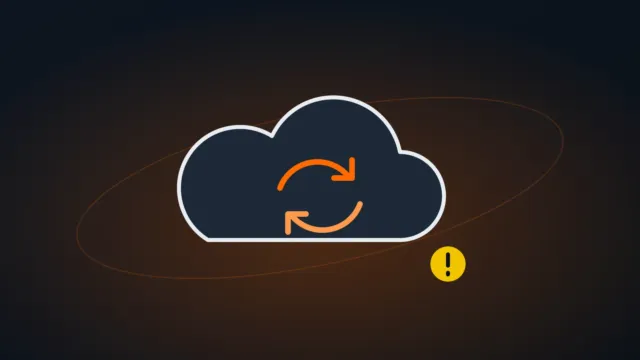
OneDrive not syncing: how to fix it on Windows
Files stuck with sync arrows, a red X on a folder or error 0x8004de40? Here are the most common reasons OneDrive stops syncing and how to fix them.
The TECHNOARTH newsroom: technology tutorials, guides, comparisons and news produced with AI assistance and checked against manufacturers’ official sources.
Files stuck with sync arrows, a red X on a folder or error 0x8004de40? Here are the most common reasons OneDrive stops syncing and how to fix them.
Excel freezing with “Not Responding”, taking forever to open, or saying the file format or extension isn’t valid? Here’s how to fix it and recover your file.
Microsoft Teams won’t open, keeps loading, won’t sign in or can’t find your microphone and camera? Here’s how to repair it, clear the cache and allow your devices.
Error 0x8000FFFF shows up in Windows Update, the Microsoft Store, System Restore or when copying files. Here’s what it means in each case and how to fix it.
Error 0x80004005 shows up when opening network folders, extracting compressed files or updating Windows. Here’s the cause in each situation and how to fix it.
Has Outlook stopped receiving or sending email, or is it showing error 0x800CCC0E? Find out whether the problem is your account or Outlook itself and fix it step by step.
Your external drive or new SSD isn’t showing up in File Explorer? Find out which case you have — no drive letter, not initialized, unallocated or RAW — and fix it without losing data.
Sound stopped working on your PC or laptop, sometimes right after an update? Here’s what to check first and how to fix it step by step — from the output device to the driver.
Did the Bluetooth button disappear, or isn’t it even in Device Manager? Here’s how to re-enable the adapter, the service and the driver, step by step.
Did the Wi-Fi option disappear from your laptop? Or does Wi-Fi work but your network isn’t listed? Here’s how to tell which case you have and fix it step by step.
Is Windows Update failing with an error code? Here’s what the most common codes mean and the steps that fix most of them — without reinstalling from scratch.
A blue screen with MEMORY_MANAGEMENT, CRITICAL_PROCESS_DIED or another code? Find the cause from the stop code and fix it — even when Windows no longer starts.