Laptop plugged in, not charging: how to fix it
Your laptop says “plugged in, not charging” or the battery stops at 60% or 80%? Here are the causes — charge limit, charger, driver and battery wear — and how to fix them.
Hardware fixes and comparisons: laptops that won’t turn on or overheat, SSDs, RAM, USB, monitors, printers and peripherals.
Your laptop says “plugged in, not charging” or the battery stops at 60% or 80%? Here are the causes — charge limit, charger, driver and battery wear — and how to fix them.
Your laptop gets very hot, the fan never stops and sometimes it shuts down on its own? Here are the causes and what to do: airflow, dust, heavy processes, power mode and servicing.
Your PC or laptop screen keeps flickering or flashing? Here’s the Task Manager test that reveals the cause and how to fix it: graphics driver, refresh rate, brightness and cable.
Plugged in a second monitor and it shows “no signal”, or Windows doesn’t recognize it? Here’s the fix: cable and input, Detect, Windows + P, the graphics driver and USB-C.
Your laptop camera won’t turn on, shows a black image or error 0xA00F4244? Here’s the fix: the privacy shutter and camera key, privacy settings, driver and Teams or Meet permissions.
Laptop keyboard stopped working, some keys don’t respond or letters type numbers? Here’s how to fix it: Num Lock, Filter keys, keyboard layout and driver.
Your external drive or new SSD isn’t showing up in File Explorer? Find out which case you have — no drive letter, not initialized, unallocated or RAW — and fix it without losing data.
Windows won’t let you copy to your USB flash drive and says the disk is write-protected? Or it says the file is too large, even though there’s plenty of space left? Here are the causes of each error and how to fix them without losing your files.
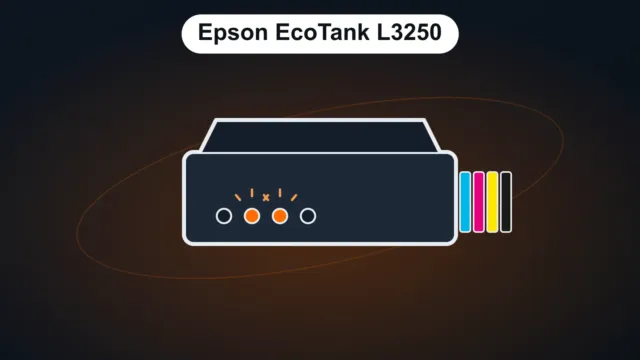
Paper light blinking, ink and paper lights blinking together, all lights on or Wi-Fi blinking: here’s what each combination means on the Epson EcoTank L3250 (and similar models like the L3150 and L3210), according to Epson’s manual, and how to fix it.
October’s three big releases call for an SSD and recent graphics cards, and Call of Duty requires TPM 2.0 and Secure Boot. Here are the minimum and recommended specs, storage space and how to check whether your PC can handle them.
A laptop gives you mobility; a desktop gives you more performance for the same price and is easier to upgrade and repair. Compare cost, performance, ergonomics and durability, and see which one makes sense for working from home, business, school and gaming.
The printer is on, but Windows says “offline”? Here are the most common causes — for HP, Epson, Brother and other brands — and how to get your printer back online, step by step.