Laptop plugged in, not charging: how to fix it
Your laptop says “plugged in, not charging” or the battery stops at 60% or 80%? Here are the causes — charge limit, charger, driver and battery wear — and how to fix them.
Your laptop says “plugged in, not charging” or the battery stops at 60% or 80%? Here are the causes — charge limit, charger, driver and battery wear — and how to fix them.
Task Manager shows the disk at 100% and the PC keeps freezing? Here’s how to find the process responsible and fix it: SysMain, search, antivirus, updates and hard drives.
Your CPU sits at 100% even with no apps open, the fan roars and everything freezes? Here’s how to identify the process and fix each case, step by step.
Your laptop gets very hot, the fan never stops and sometimes it shuts down on its own? Here are the causes and what to do: airflow, dust, heavy processes, power mode and servicing.
Your PC or laptop screen keeps flickering or flashing? Here’s the Task Manager test that reveals the cause and how to fix it: graphics driver, refresh rate, brightness and cable.
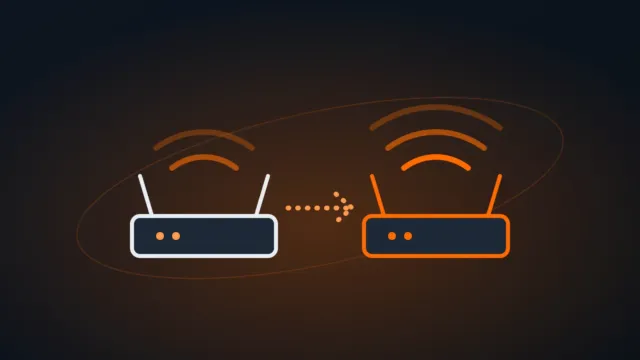
Got a spare router? Here are three ways to use it to extend your Wi-Fi — repeater mode, WDS bridging or a wired access point — and which one gives the best results.
Your laptop camera won’t turn on, shows a black image or error 0xA00F4244? Here’s the fix: the privacy shutter and camera key, privacy settings, driver and Teams or Meet permissions.
Laptop keyboard stopped working, some keys don’t respond or letters type numbers? Here’s how to fix it: Num Lock, Filter keys, keyboard layout and driver.
The PC turns on but Windows won’t load? Black screen, error 0xc000000e or an Automatic Repair loop? Here’s how to get it booting again without losing your files.
Plugged in a second monitor and it shows “no signal”, or Windows doesn’t recognize it? Here’s the fix: cable and input, Detect, Windows + P, the graphics driver and USB-C.
Your company VPN won’t connect at home, on mobile data or at a hotel? Here’s what to check — internet, credentials, blocked networks, outdated client — and the most common FortiClient errors.
Nobody can hear you in meetings? Here’s how to allow the microphone in Windows privacy settings, choose the right device and fix it in Teams, Meet, Zoom and Discord.